
Features

Everything your brand needs to present, approve and publish content.

Styleset brings your showroom, creator workflow, brand workspace and mobile access into one calm system. Start with the full picture, then jump into the feature area that matters most.

Public showroom preview
ShowroomCreator workflowBrand workspaceOn the go

Showroom

A branded showroom your partners actually want to use.

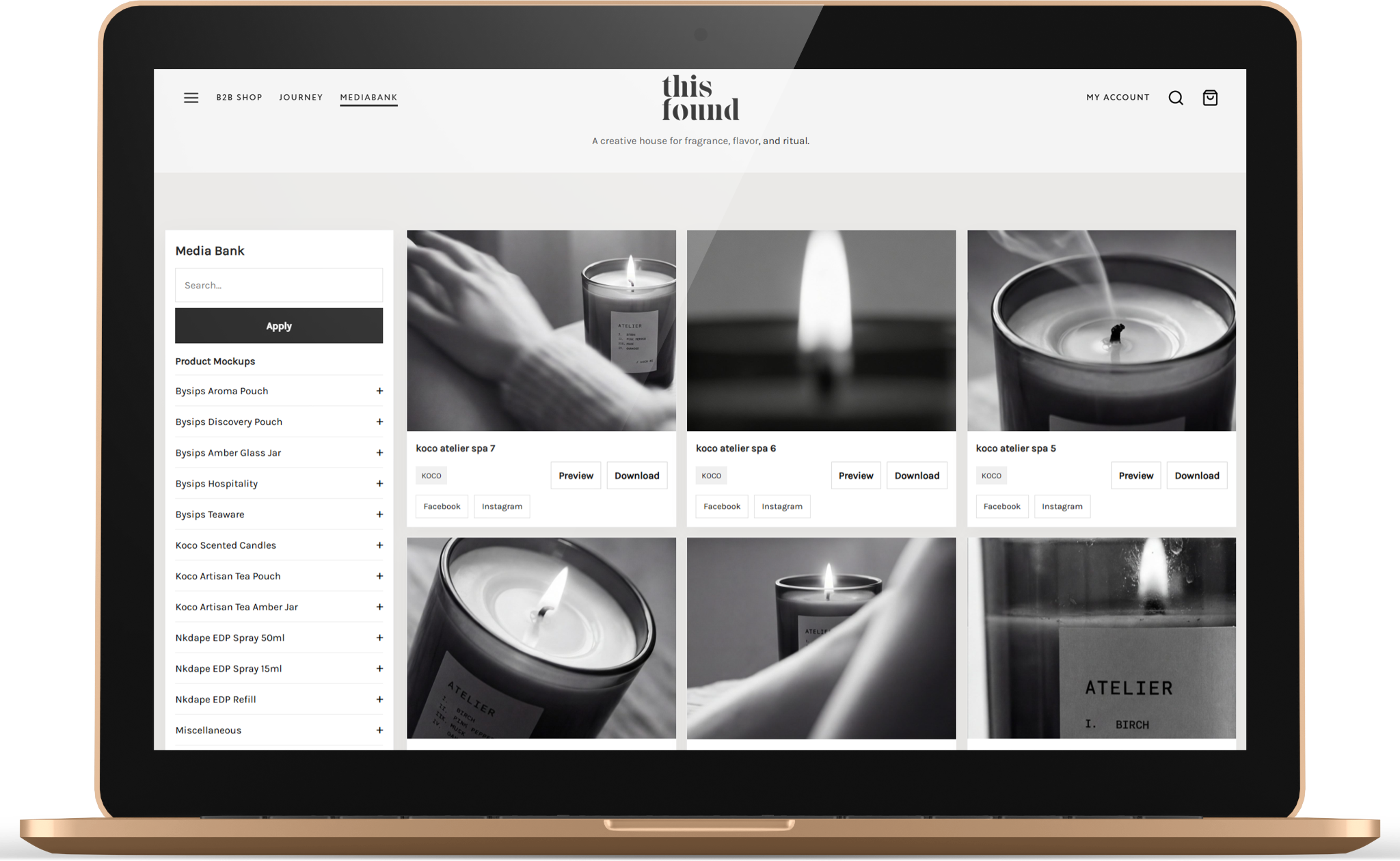
Turn approved product images, campaign material and launch packs into a curated public or private destination — not another folder list.

A branded showroom your partners actually want to use.

Branded digital showroom

How

Publish approved assets into a clean branded showroom with your logo, colors, intro copy and access mode.

Why

Partners see the brand world first, not a generic file manager.

When

Use it for seasonal launches, press kits, retail partners and always-on brand resources.
Collections & folders

How

Organize assets by campaign, product area, partner file, launch pack, press material or creator-approved work.

Why

People find what they need without asking your team for links.

When

Use it when a brand has more than one asset group or different audiences.

Asset preview

How

Open images and files in a focused preview with metadata, usage info and download options.

Why

Visitors can check the asset before downloading and avoid grabbing the wrong file.

When

Use it for campaign images, product shots, PDFs, videos and launch material.

Launch packs

How

Group assets, captions, product material and launch documents into one ready-to-share pack.

Why

Launches become easier for stores, agents and press to execute correctly.

When

Use it for new drops, seasonal campaigns, wholesale releases and PR sends.

Partner access

How

Choose public browsing, login-to-download, or private invited access depending on the audience.

Why

You keep control without slowing down the partners that need fast access.

When

Use it for retailers, press, distributors, agents and selected private rooms.

Download variants

How

Offer original files plus web-optimized, square 1:1 and story 9:16 variants when available.

Why

Partners get the right format immediately instead of resizing or asking for help.

When

Use it when assets are shared for web shops, newsletters, Instagram and campaign pages.

Creator workflow

Creator content moves from upload to approval in one place.

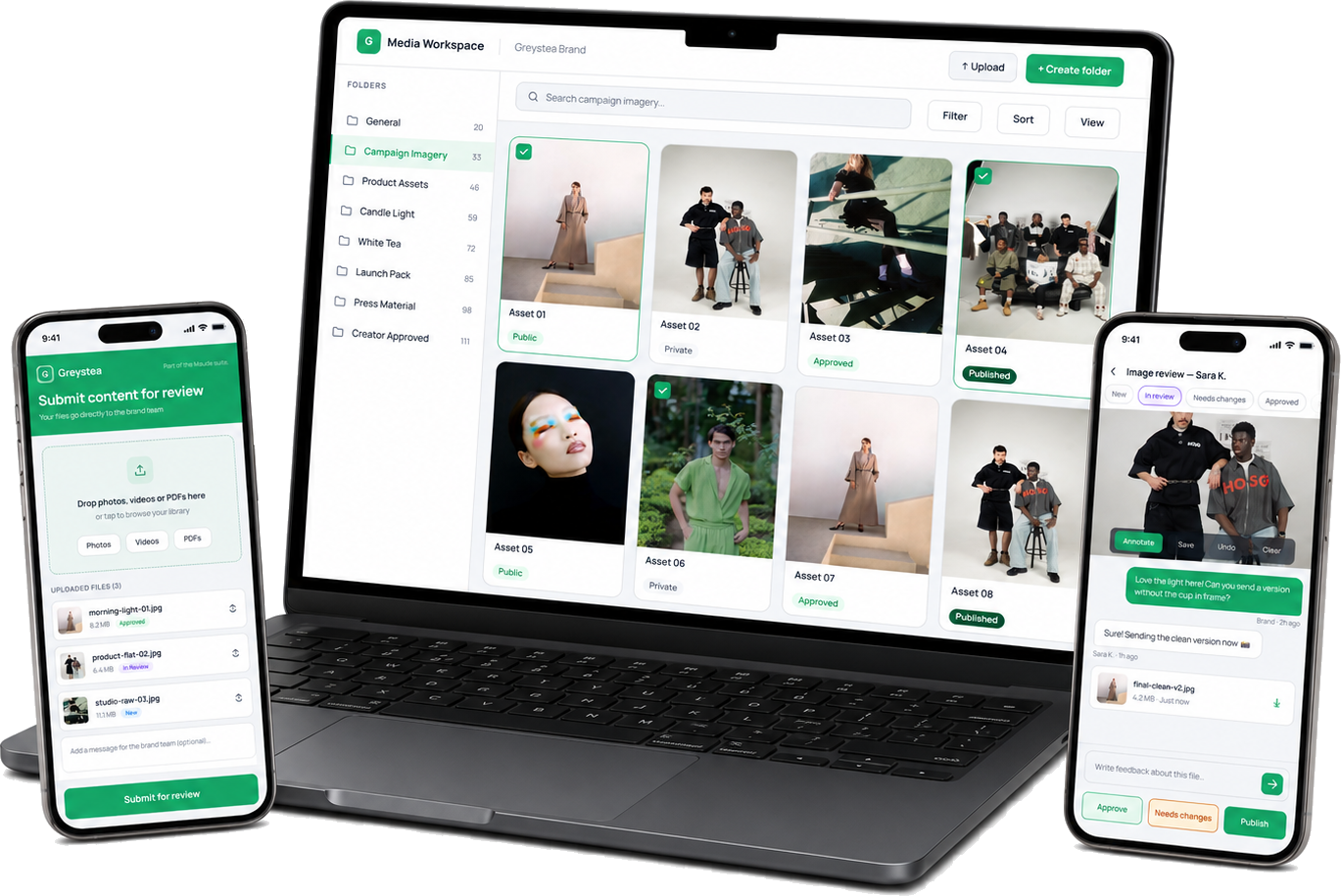
Invite creators into a branded upload flow, review every file, chat around individual images and publish approved work into the live showroom.

Creator content moves from upload to approval in one place.

Creator upload links

How

Send a private upload link to a creator or influencer for one brief, campaign or ongoing collaboration.

Why

Creators can submit without getting admin access or sending assets through scattered channels.

When

Use it whenever creators, photographers or influencers deliver work to the brand.

Creator submissions

How

Collect photos, videos and PDFs in a creator inbox connected to the brand workspace.

Why

New work becomes visible, trackable and connected to the right creator.

When

Use it for UGC, influencer campaigns, studio shoots and content requests.

Image review

How

Open a submitted image in review mode with status, notes, preview and action buttons.

Why

The team can decide what is ready, what needs changes and what should be published.

When

Use it after creator upload, before publishing content into a showroom or campaign folder.

Annotation tools

How

Draw or mark directly on an image and save the feedback image into the conversation.

Why

Visual feedback is clearer than long email explanations.

When

Use it when a crop, retouch, background, label, angle or product detail needs correction.

Image-level chat

How

Keep messages attached to the exact file being reviewed, with creator and brand messages side by side.

Why

No one has to guess which image a comment belongs to.

When

Use it during revisions, approvals and creative handoff.

Approve & publish

How

Move approved files from review into the live showroom or selected collection with a controlled action.

Why

Approved creator content becomes usable immediately without another upload step.

When

Use it after final approval, campaign selection or creator delivery sign-off.

Brand workspace

A calm workspace for the team behind the showroom.

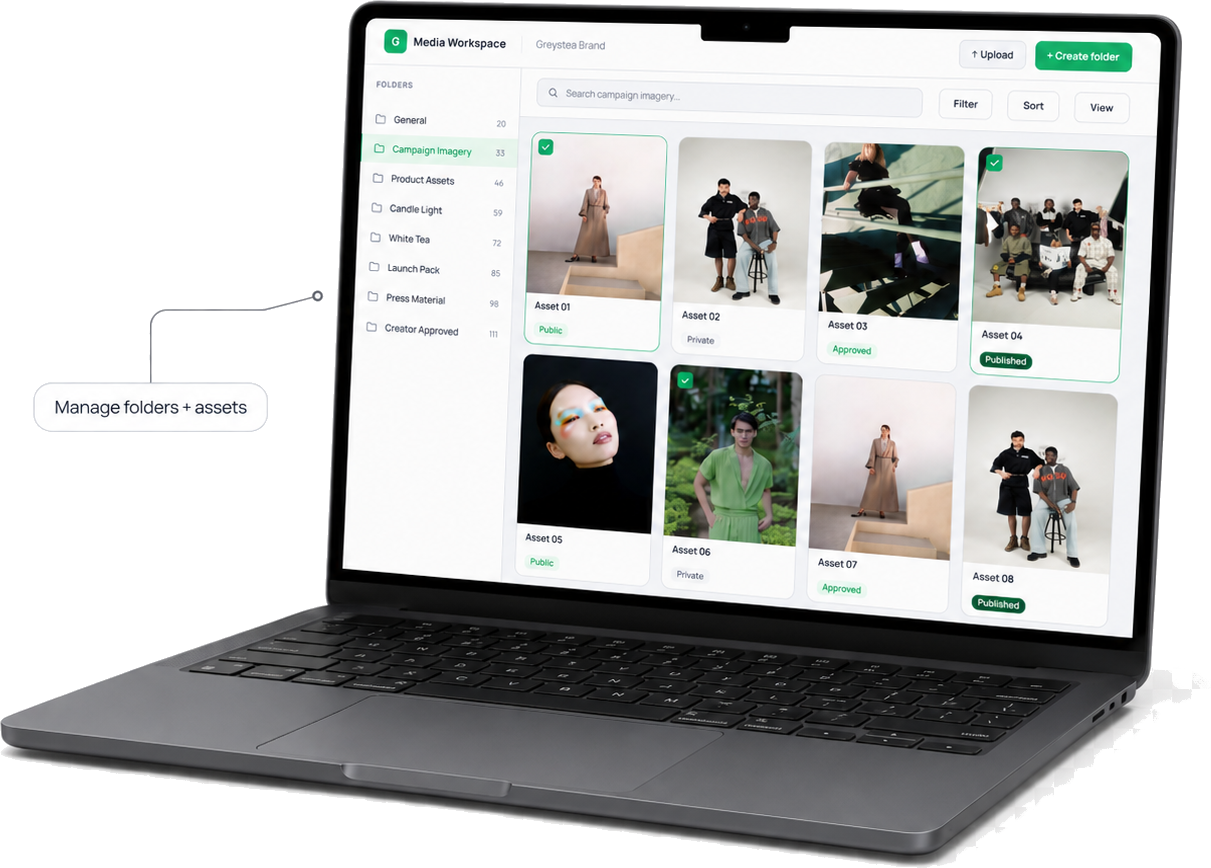
Upload, sort, review and control assets before anything goes public. The workspace keeps structure, metadata and publishing state clear.

A calm workspace for the team behind the showroom.

Media workspace

How

Manage every asset from a grid-based workspace with folders, status, preview and upload controls.

Why

The team works in one system instead of juggling media folders, links and spreadsheets.

When

Use it daily for marketing assets, product material and partner content.

Bulk upload

How

Add many images, videos or PDFs at once and place them into the correct folders or collections.

Why

Large campaigns can be prepared quickly without one-by-one admin work.

When

Use it after photoshoots, product launches, campaign exports and creator deliveries.

Folder management

How

Create folders, reorder structures and move assets into the right collection flow.

Why

The public showroom stays organized even as the library grows.

When

Use it when a brand needs product areas, seasons, campaigns or partner rooms.

Public / private assets

How

Control whether each asset is visible, private, approved, published or still internal.

Why

Only ready and permitted work reaches partners.

When

Use it for staged launches, restricted files, draft images and private partner material.

Rights & metadata

How

Store category, type, rights, dimensions, EAN/GTIN, weight and other asset information.

Why

Partners know how to use the file and the team keeps product context attached.

When

Use it for commercial image rights, product packs, press material and ecommerce assets.

Search & filters

How

Find assets by collection, status, type, folder, text or other workspace filters.

Why

Large libraries stay fast to navigate.

When

Use it when a brand grows beyond a small set of static files.

On the go

Your showroom is not locked to the desk.

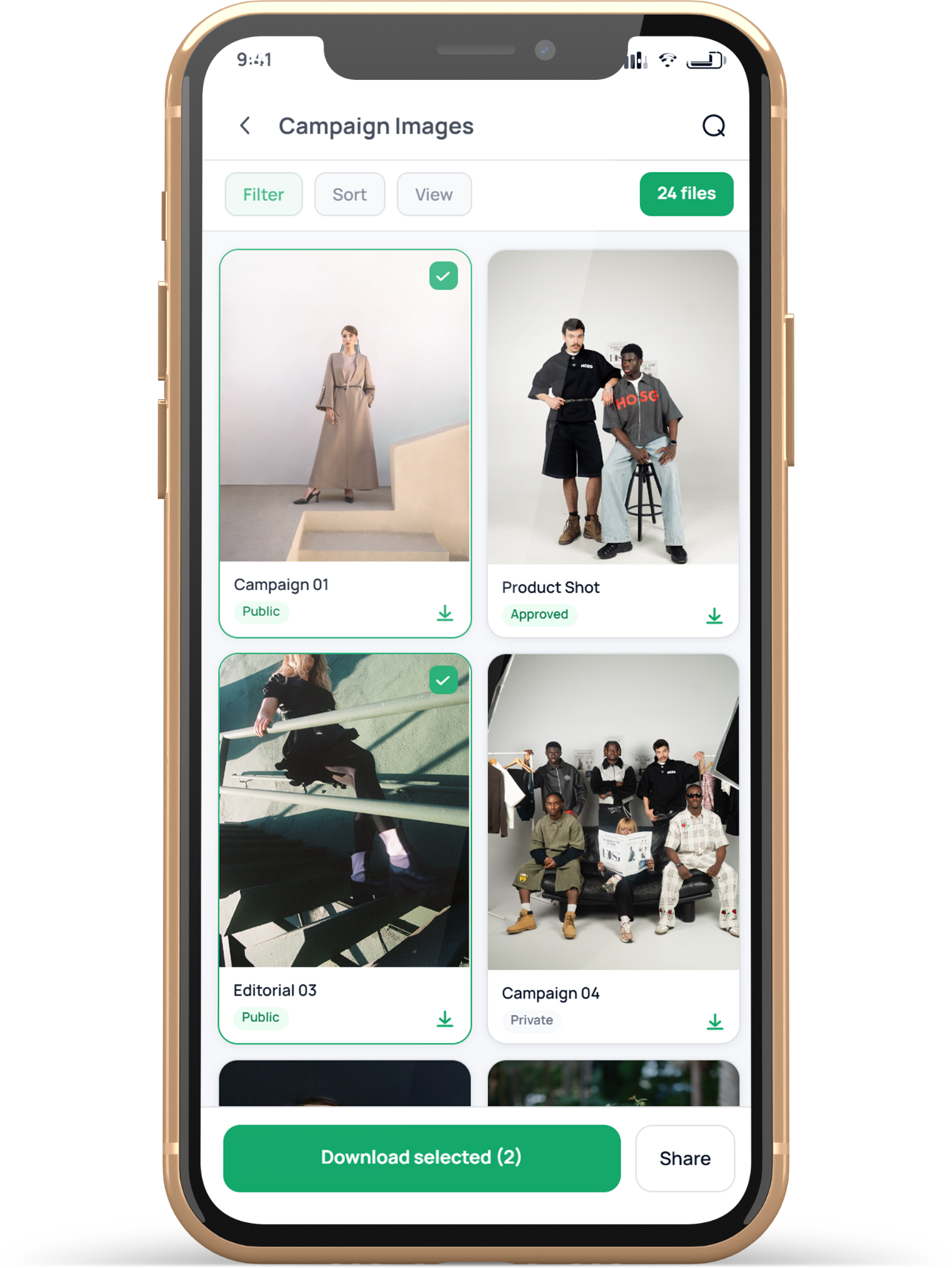
Partners browse, creators upload and brand teams approve from phone or tablet, with tenant colors that can change from brand to brand.

Your showroom is not locked to the desk.

Mobile showroom

How

Open a mobile-optimized showroom with hero, collections, featured assets and simple navigation.

Why

Partners often need assets from a phone, not from an office desk.

When

Use it for retail teams, agents, press and external partners on the move.

Mobile downloads

How

Let users preview assets and download the right variant directly from mobile.

Why

Fast access makes the showroom useful in real work situations.

When

Use it when partners need content for posts, shops, newsletters or presentations.

Creator upload mobile

How

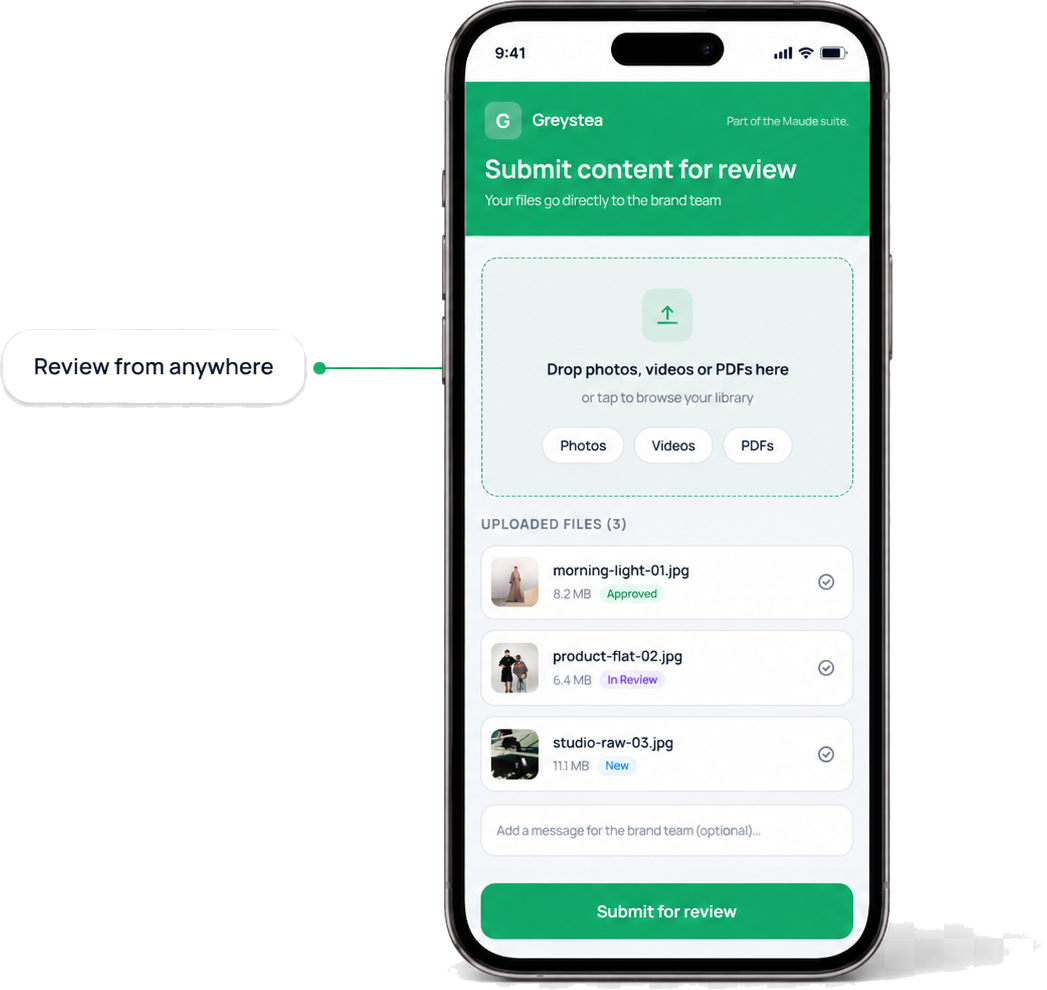
Creators upload photos, videos and PDFs from a branded mobile upload page.

Why

Most creator work starts on a phone, so the upload flow should too.

When

Use it for UGC, influencer submissions, campaign edits and photo deliveries.

Review from phone

How

Review submissions, chat, request changes and approve files from a phone interface.

Why

Brand teams can keep momentum without waiting to be back at a desktop.

When

Use it for quick approvals, creator follow-up and campaign deadlines.

Tablet workspace

How

Use a larger tablet view for folder trees, asset grids, preview panels and creator review.

Why

Tablet gives a more relaxed overview while still feeling mobile.

When

Use it at showrooms, meetings, stores, trade fairs and brand presentations.

Tenant color themes

How

Use default mobile green or swap the accent color per tenant/brand.

Why

The product can feel like the customer’s brand instead of Styleset’s fixed interface.

When

Use it whenever a showroom needs a stronger brand match.

Start simple

Build your first Styleset, then expand when the workflow grows.

Use one branded showroom first. Add creator workflows, partner access and mobile approval when your team is ready.