

01
Organize the asset workspace
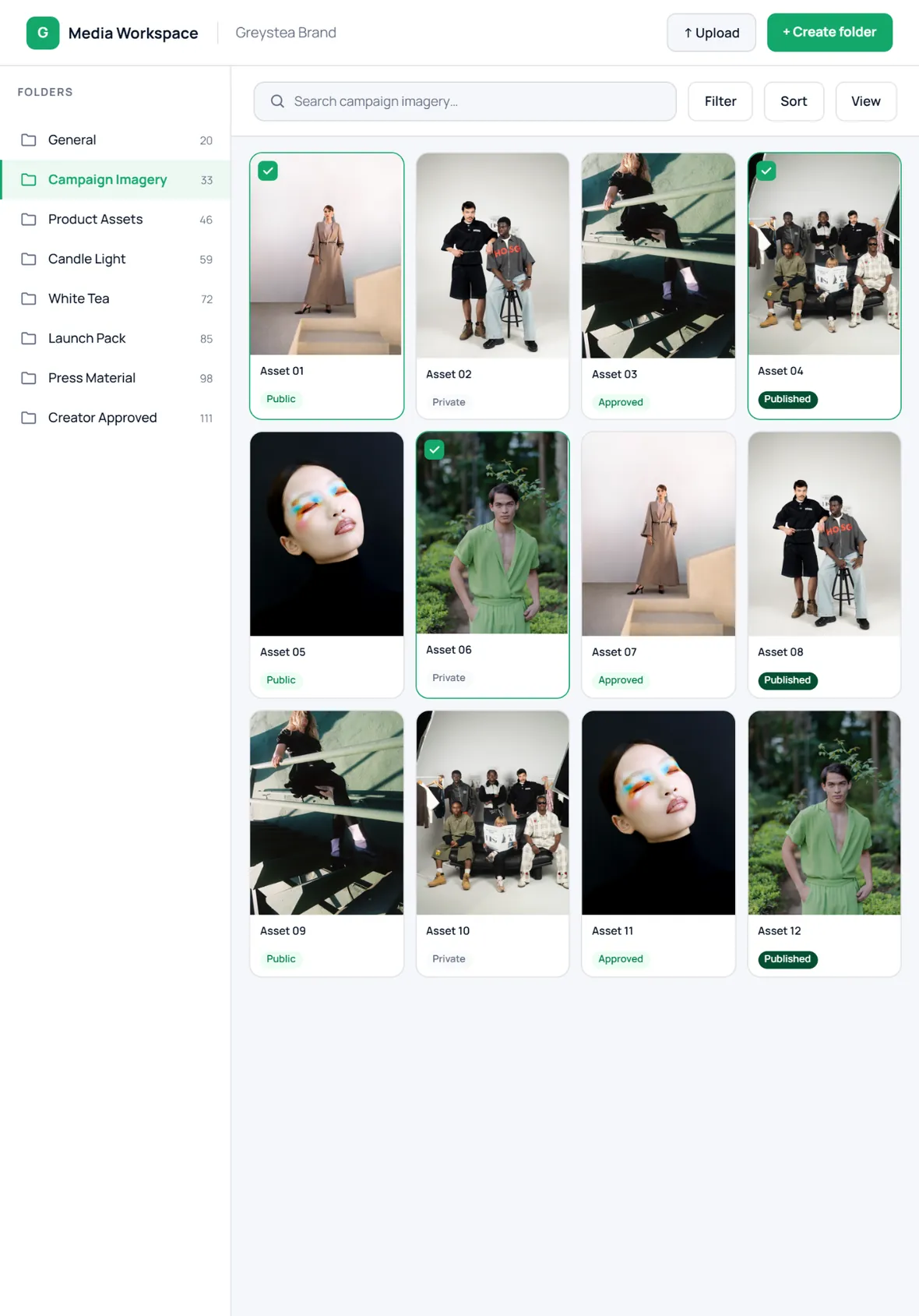
Folders, asset cards, upload controls, search, sorting and public/private status all sit in one working space.
Product walkthrough
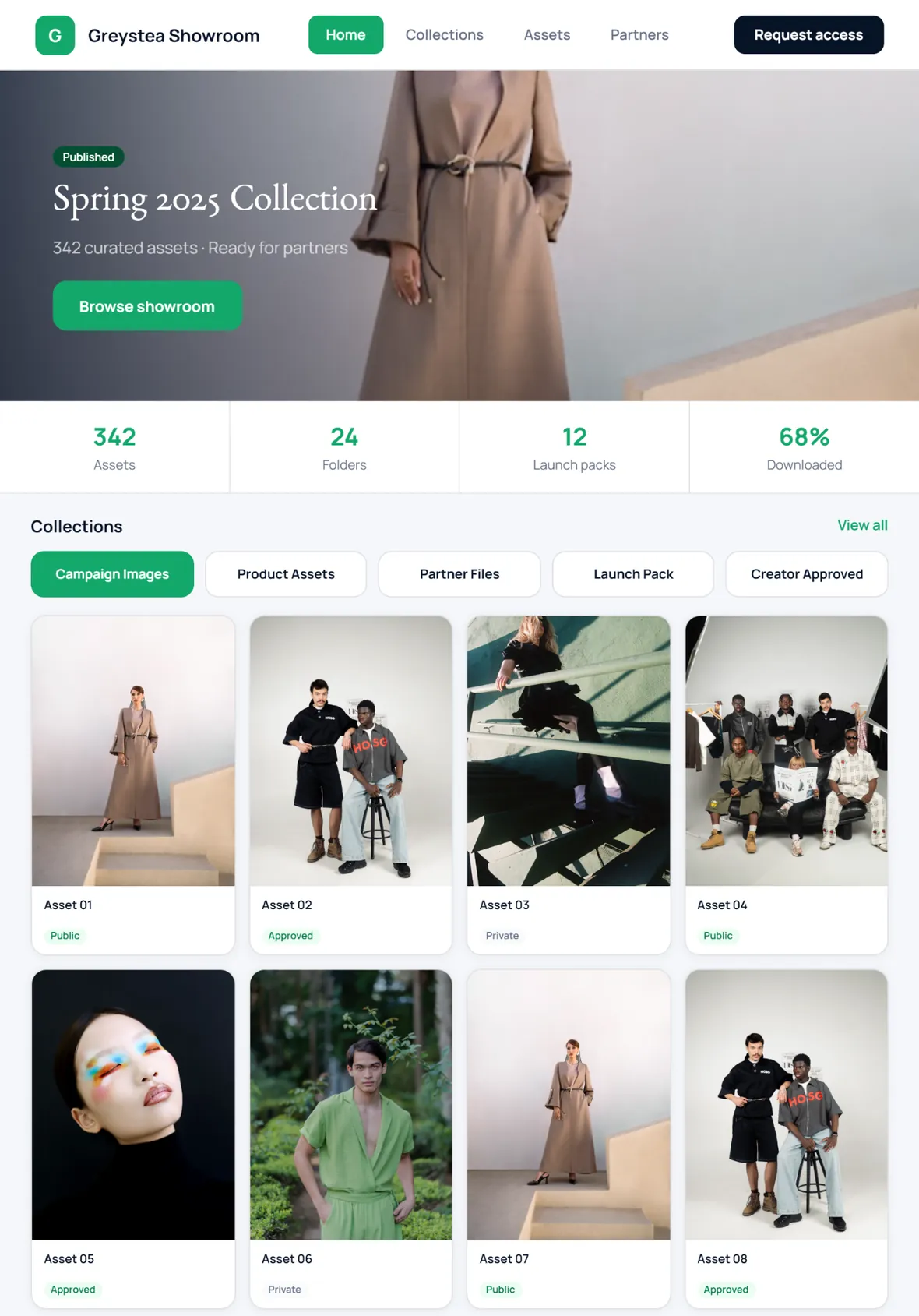
From public showroom browsing to asset downloads, creator submissions, image-level feedback and one-click publishing.
How it works
These screens show the product direction: workspace, public showroom, creator inbox, asset preview, and review chat.
Folders, asset cards, upload controls, search, sorting and public/private status all sit in one working space.
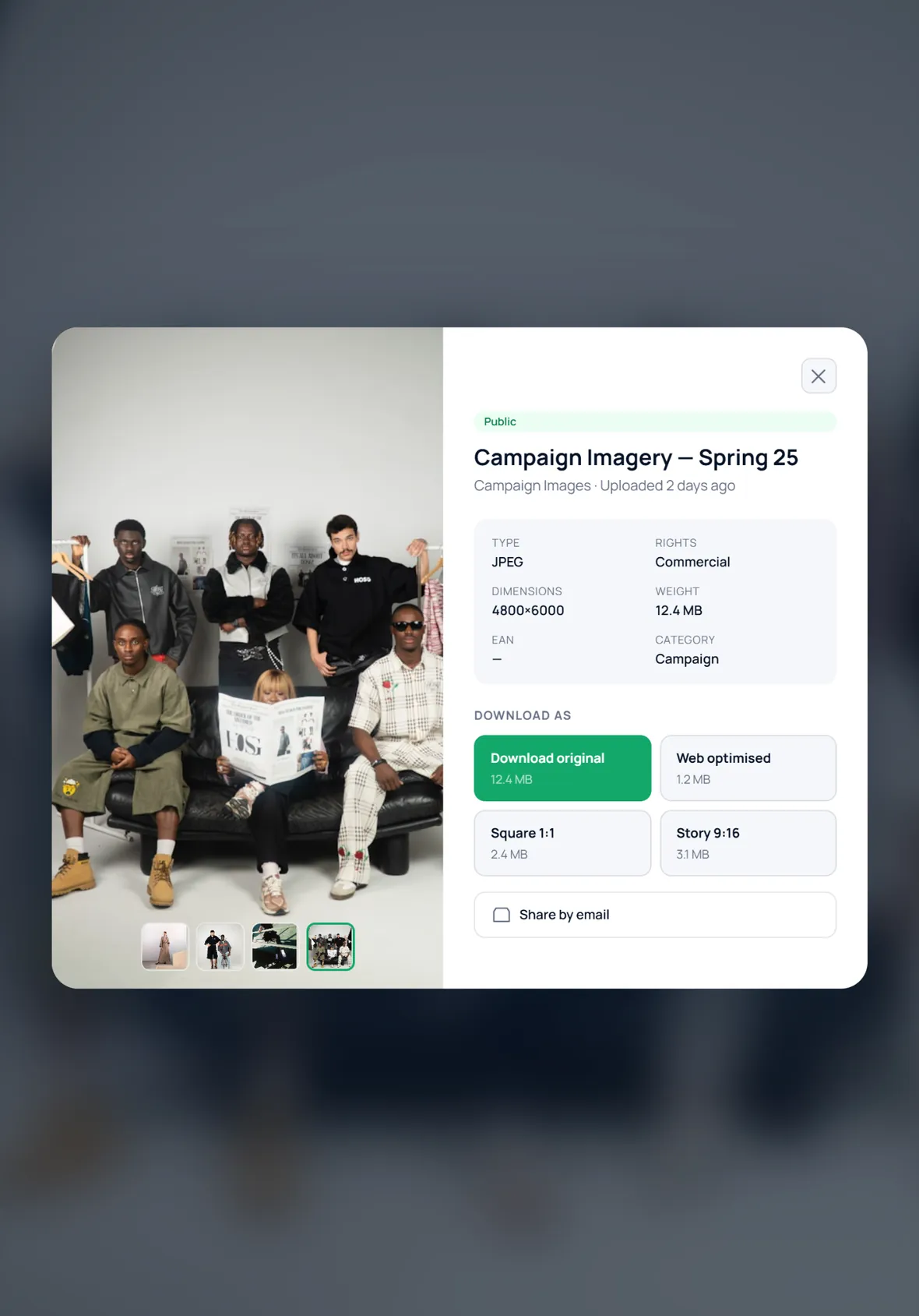
Partners can preview large images and download original, web, square and story variants when available.
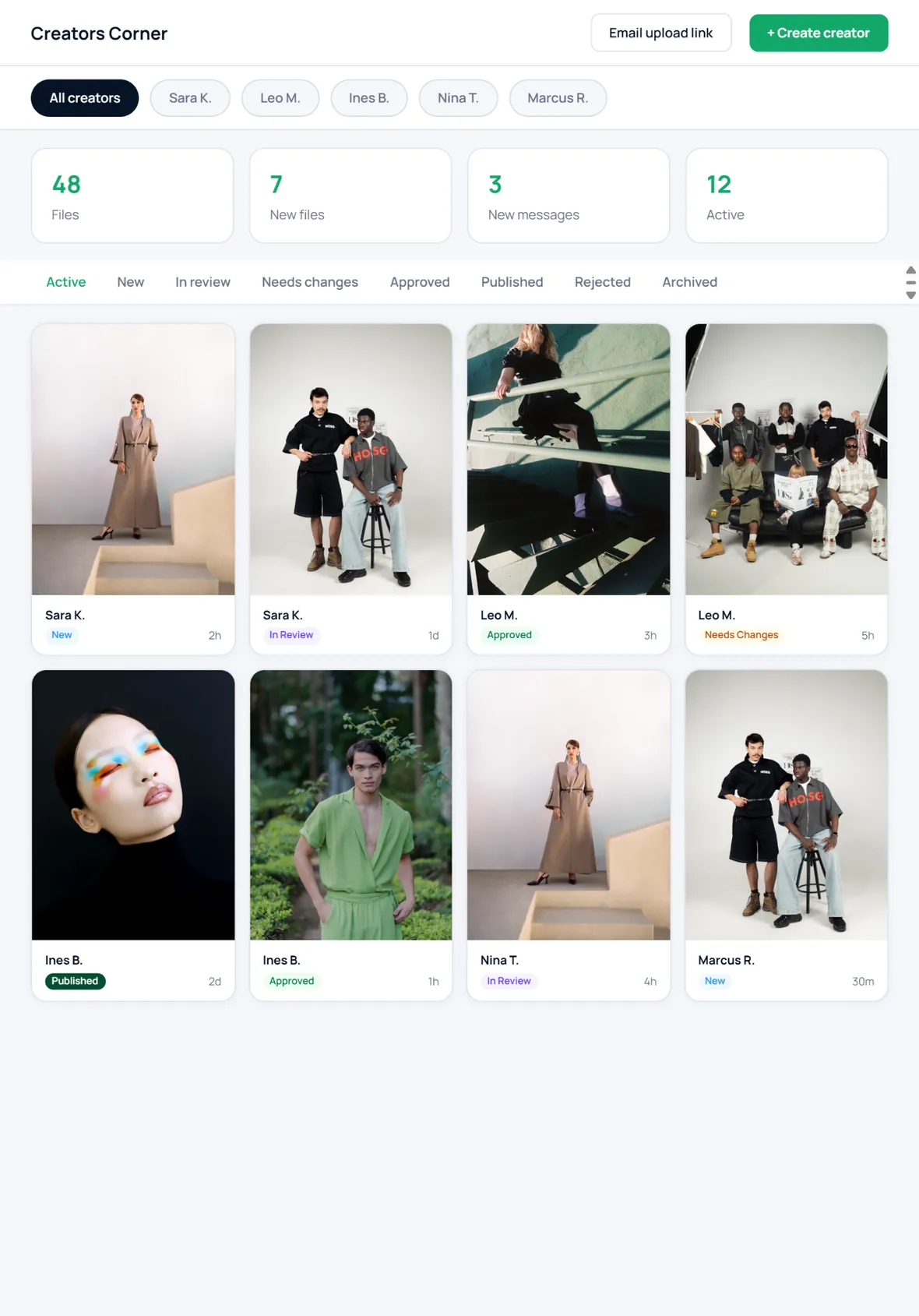
Creators submit work into a branded workflow. Your team reviews status, messages and active submissions.
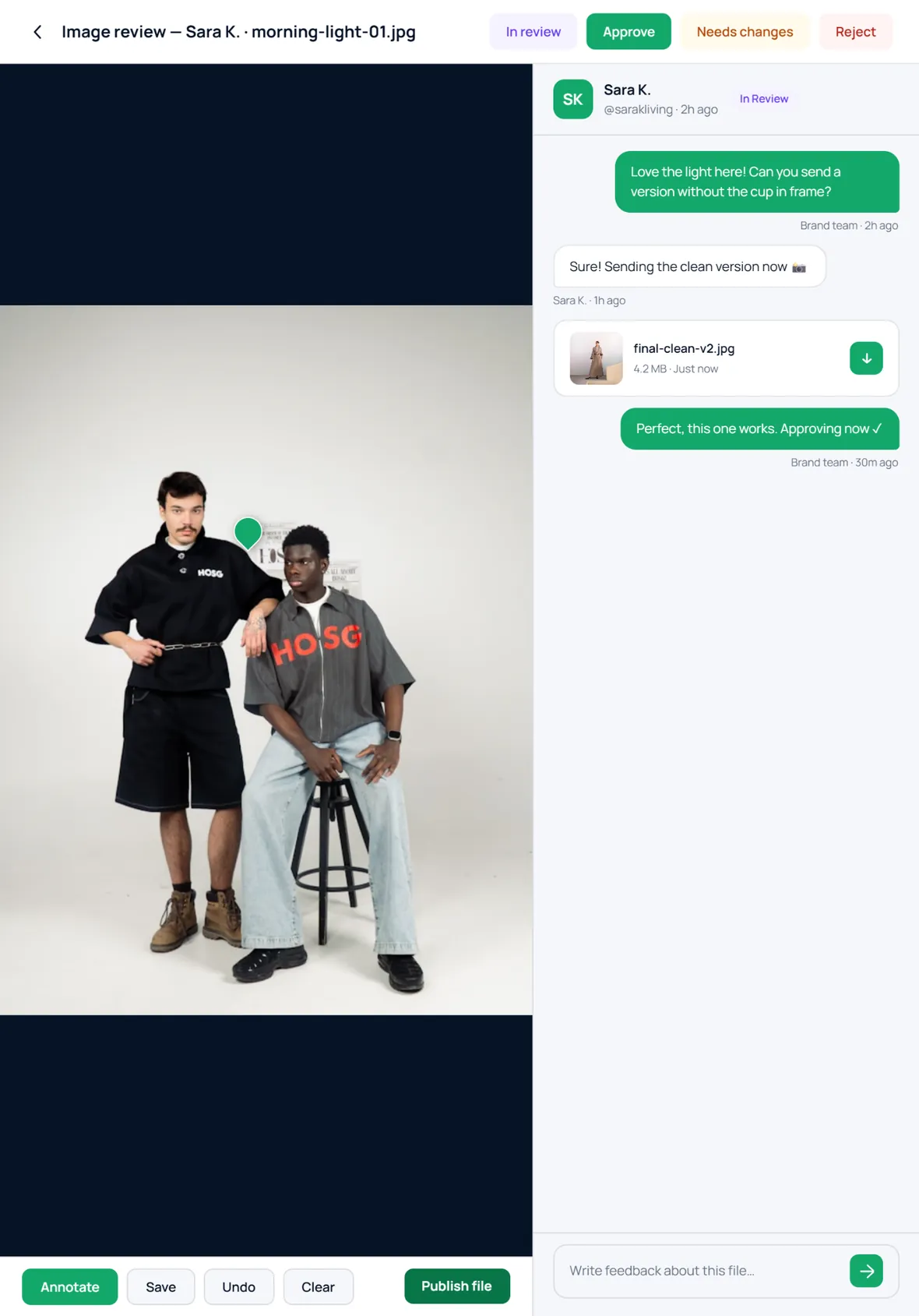
Feedback stays attached to the file, so approvals, changes and published assets are traceable.
Ready when you are
Start with a branded showroom, then add creator workflows, partner sharing and B2B modules when you need them.